Cameron Falck / Pixaloom / Selected capabilities

From a good idea
to a working system.

I’m Cameron Falck, the developer behind Pixaloom. I build business websites, online stores and custom software — connecting the design people see to the data, payments and workflows that make it useful.

Explore the work
Independent developer · George, South AfricaCustom code + WordPress + integrated systems

01 / Illumi · Payment integrations

One invoice. A choice of payment providers.

Illumi’s PayGate layer lets a business connect its own supported payment accounts and choose how clients pay an invoice. The work extends from provider settings and checkout creation to payment confirmation and invoice reconciliation.
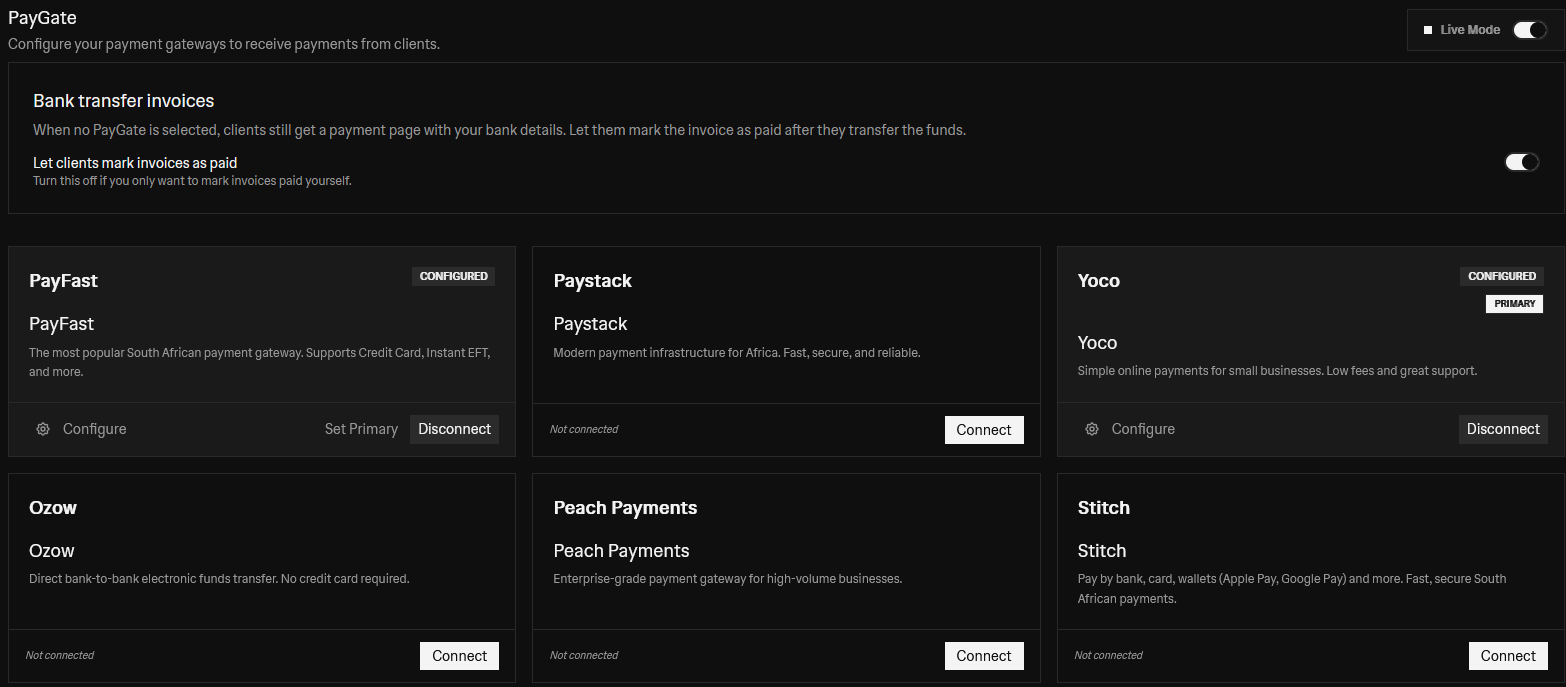
PayFastPaystackYocoOzowPeach PaymentsStitch
Actual Illumi PayGate settings supplied by Cameron, showing provider connections, the primary gateway and bank-transfer invoice options.

What sits behind it

  • Workspace-specific provider connections, with separate test and live modes.
  • Payment links tied to the correct invoice, business, amount and currency.
  • Provider-specific callbacks and webhook handling, with payment-attempt tracking and amount checks.
  • A common invoice experience over six different provider integrations.

Supported integrations: PayFast, Paystack, Yoco, Ozow, Peach Payments and Stitch. Netcash is listed in settings but currently unavailable. Provider approval, currency and account configuration determine which payment methods a business can use.

Explore the project

02 / Illumi · AI and business workflows

An assistant that works with the business.

Illumi connects conversation to structured business actions. Users can build and edit invoice drafts, work with clients and products, review receipts and organise their records from one workspace. Actions are presented for review before they are applied.
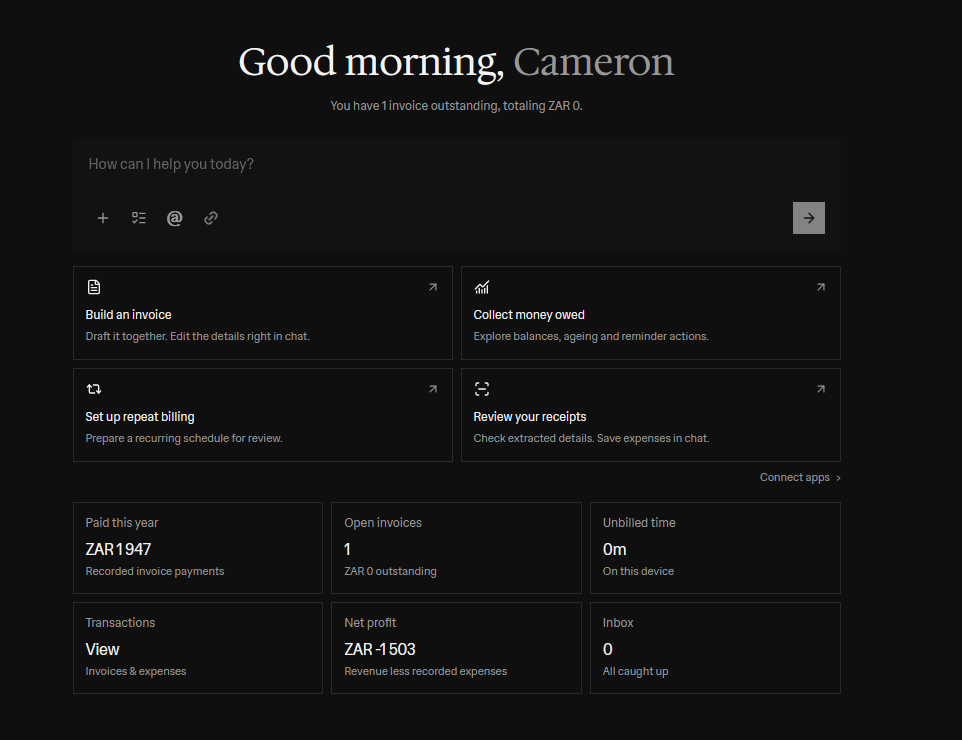
Owner-supplied Illumi dashboard showing the assistant, invoice actions, collections, repeat billing and receipt review.

What sits behind it

  • Create and edit invoices, quotes and proformas; add products, change line items and convert documents.
  • Schedule delivery, set up recurring billing, send invoices and prepare payment reminders.
  • Create and update client records, maintain products and record payments already received.
  • Review extracted receipt details, record or split expenses, organise Vault documents and track time.
  • Explore outstanding balances, invoice ageing and revenue information to decide what needs attention.
  • Bring historical clients, products, invoices and expenses into a reviewed CSV migration workflow with validation, duplicate checks and an import record.
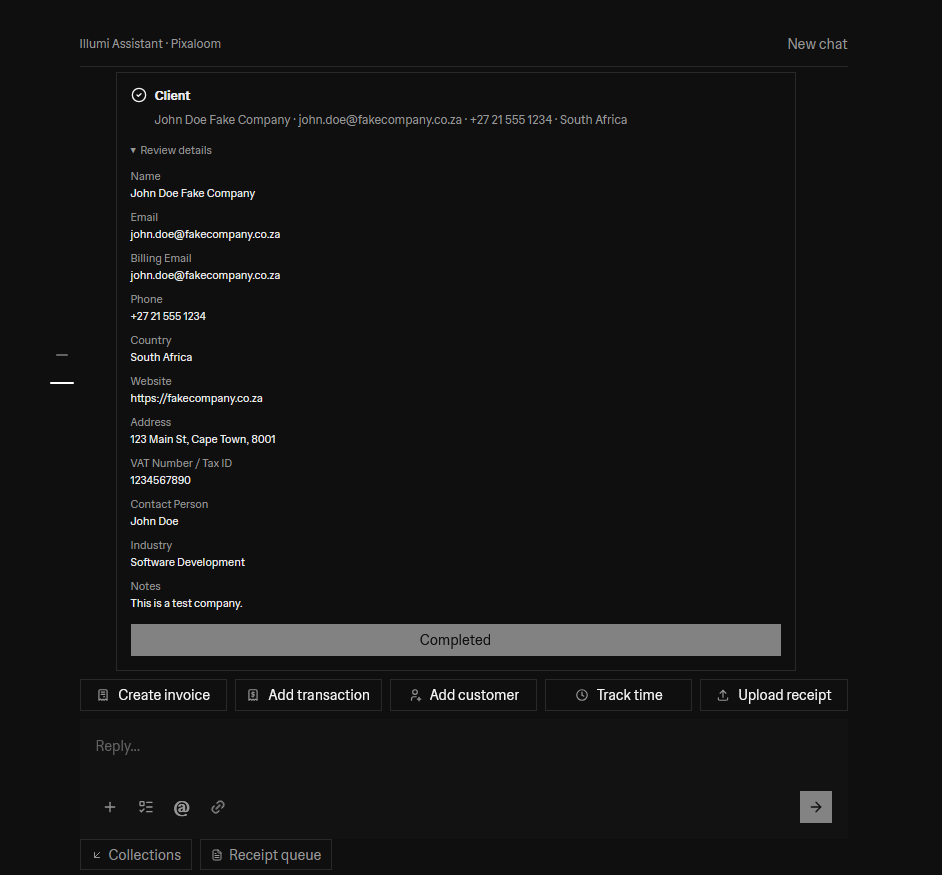
Illumi Assistant completing a client record with explicitly fictional test-company details.
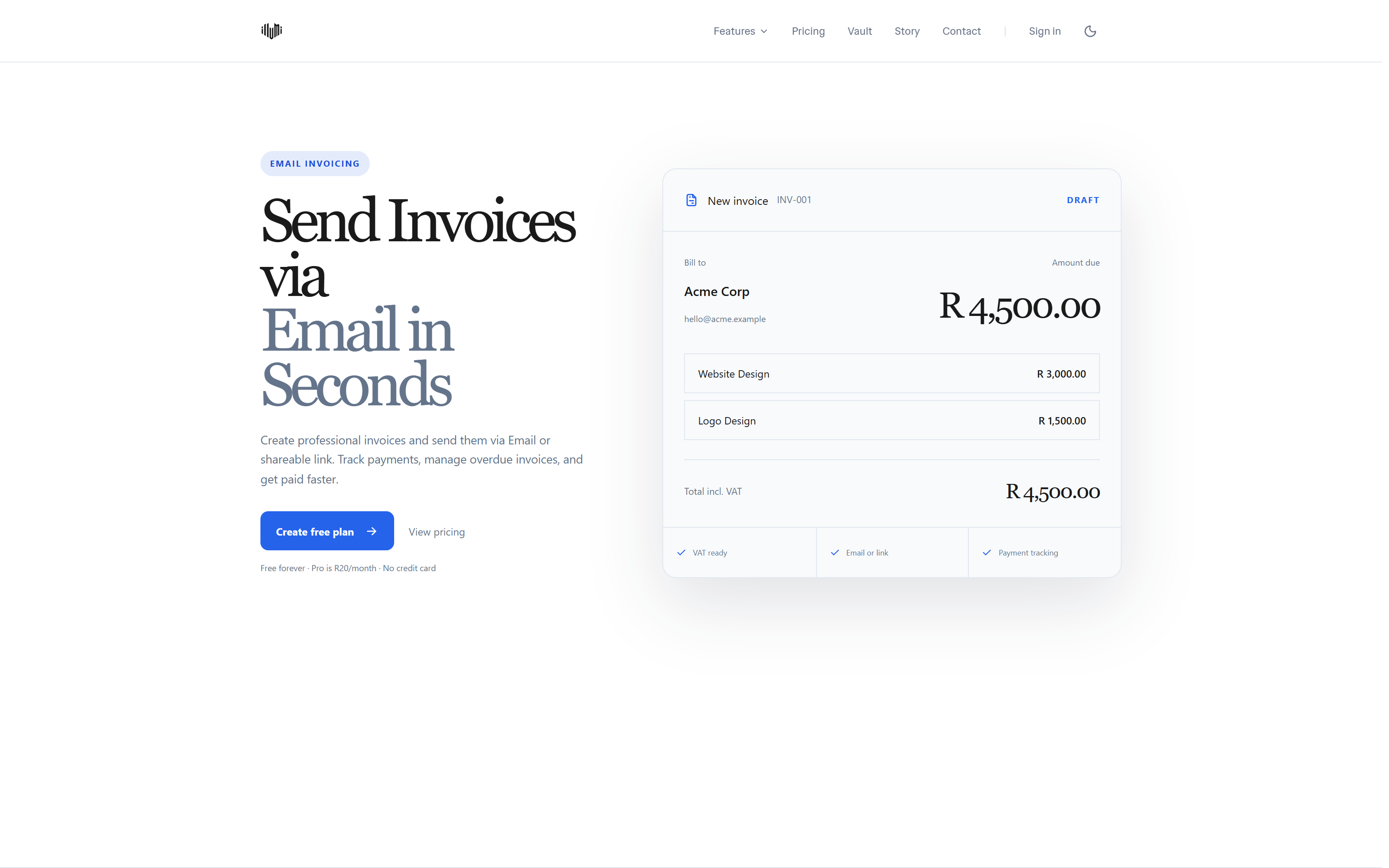
Illumi’s public invoicing page, with an illustrative invoice preview. Sample data, not a customer invoice.

Historical data is imported in controlled batches: the reviewed CSV workflow previews up to 500 rows / 1 MiB and applies up to 100 selected records at a time. Larger migrations need staged batches; this is not an unlimited, unreviewed import.

Explore the project

03 / Illumi · Organic search

Built to be found, as well as used.

Illumi’s product work is supported by search-focused pages, useful business tools and ongoing content development. The supplied Google Search Console report shows visibility and clicks building over time, with stronger activity in the later months.
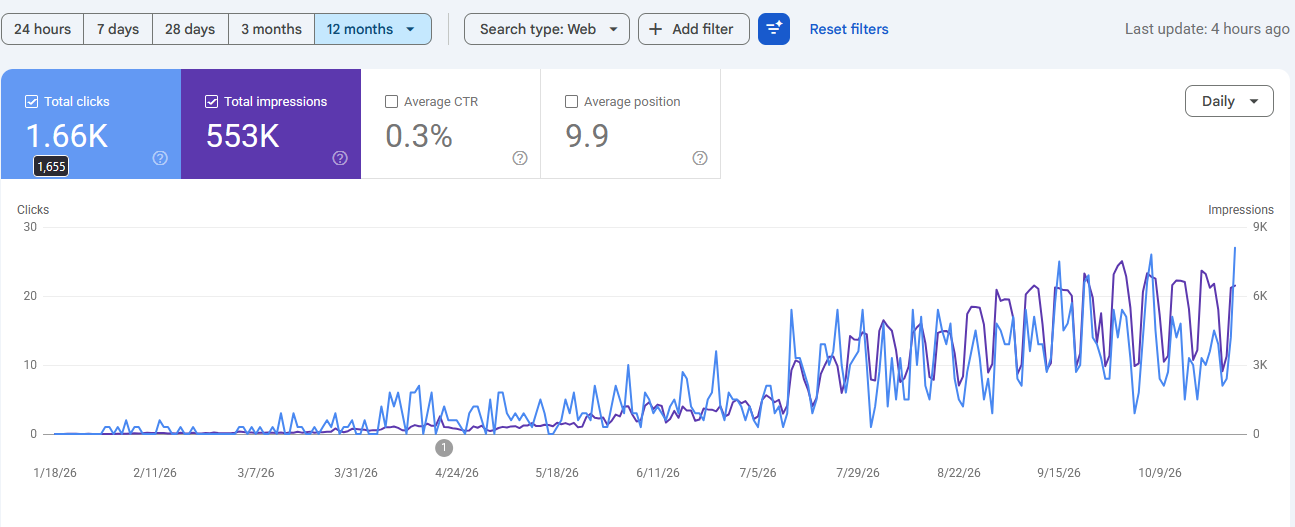
Google Search clicks
1,655
Search impressions
553K
Average position
9.9
Click-through rate
0.3%
The original Search Console report supplied for this portfolio; figures are a snapshot rather than live analytics.

What sits behind it

  • 1,655 Google Search clicks in the supplied report.
  • 553K impressions, with a displayed average position of 9.9.
  • A displayed click-through rate of 0.3%, leaving room for further improvement.

Source: the owner-supplied Illumi Search Console screenshot, with the 12-month filter selected and a visible chart from January to October 2026. These are search-performance figures, not customer, revenue or conversion totals.

Explore SEO services

04 / Team Colours · WordPress and ecommerce

Stores with a clear path from browsing to buying.

Team Colours brings together WordPress and WooCommerce experience with a distinctive apparel storefront. The work spans catalogue organisation, collection navigation, product presentation and connecting the store’s shopping experience to its commerce tools.
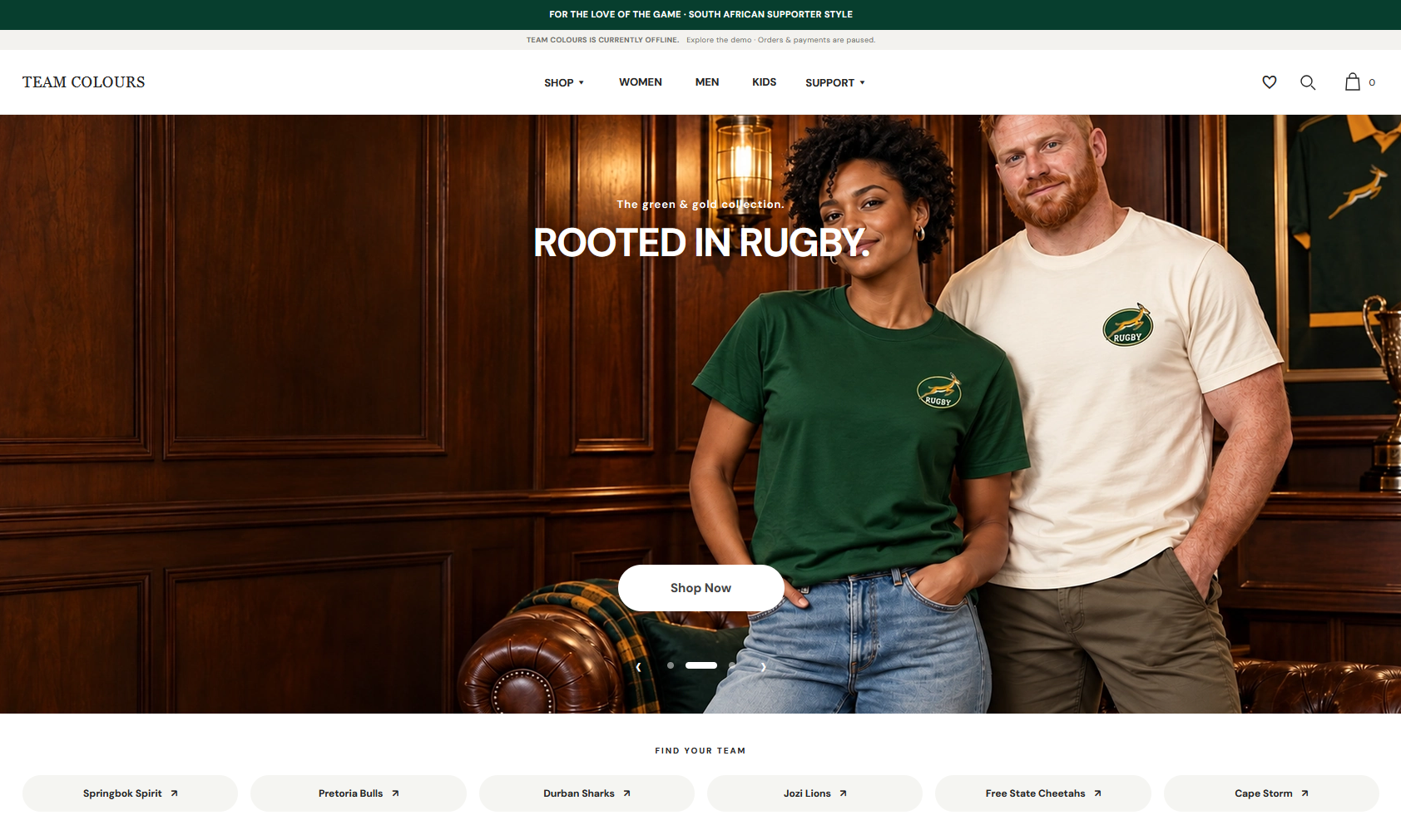
Team Colours’ rugby-inspired storefront, supplied by Cameron. Current preview; orders and payments paused.

What sits behind it

  • WordPress website delivery and WooCommerce store setup and connection.
  • Product and category structure, with size and colour choices for apparel.
  • Responsive campaign pages that connect brand imagery to product discovery.
  • Search-aware content, clear navigation and a consistent mobile experience.

The image shows the current Team Colours storefront preview, which is separate from the original WordPress / WooCommerce implementation. As its banner states, orders and payments are paused.

Explore the project

05 / Slip a Tip · Custom financial workflows

A simple tip, backed by a complex system.

Slip a Tip connects a customer’s QR payment to the right worker, then manages the steps between a recorded tip and a withdrawal. The engineering challenge is keeping payment state, fees, balances and payout requests consistent across different systems.
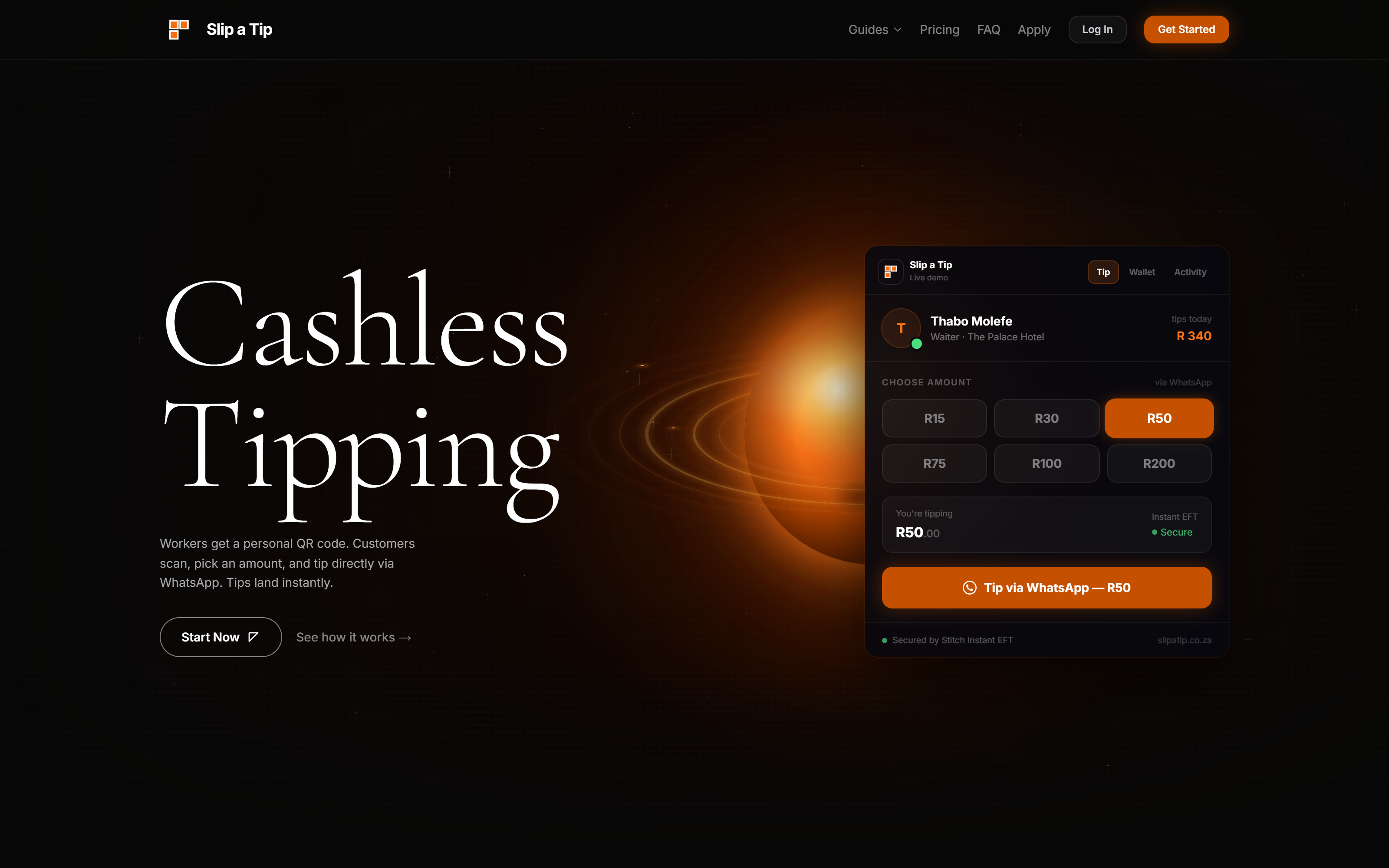
Slip a Tip’s public website. The flow below explains the system behind the customer-facing experience.
  1. 01Scan worker QR
  2. 02Confirm payment
  3. 03Record fees & balance
  4. 04Clear settlement holds
  5. 05Request withdrawal
  6. 06Track payout outcome

What sits behind it

  • Worker-linked QR codes and payment references identify where each tip belongs.
  • Stitch payment events update tip records, with duplicate-event handling to avoid crediting the same tip twice.
  • Ledger entries separate gross amounts, platform and gateway fees, and worker balances.
  • Settlement holds, cleared-balance checks and reserve rules determine what is available to withdraw.
  • Withdrawal flows support EFT through the Stitch payout adapter and a separate OTT voucher path, with fee calculations, status tracking and failure handling.
  • Worker, customer and administration experiences connect through notifications, transaction histories and review workflows.

This describes the implemented software architecture reviewed in the repository. Payment and payout availability depends on configured providers; it is not a claim of banking accreditation or verified live settlement volume.

Explore the project

06 / TrakCare scanner · Purpose-built utilities

Less typing between a barcode and a record.

A mobile-first barcode tool helps authorised clinicians open the relevant TrakCare Lab search using a scanned medical record or specimen reference. It reduces manual transcription while leaving access to patient information with the existing clinical system.
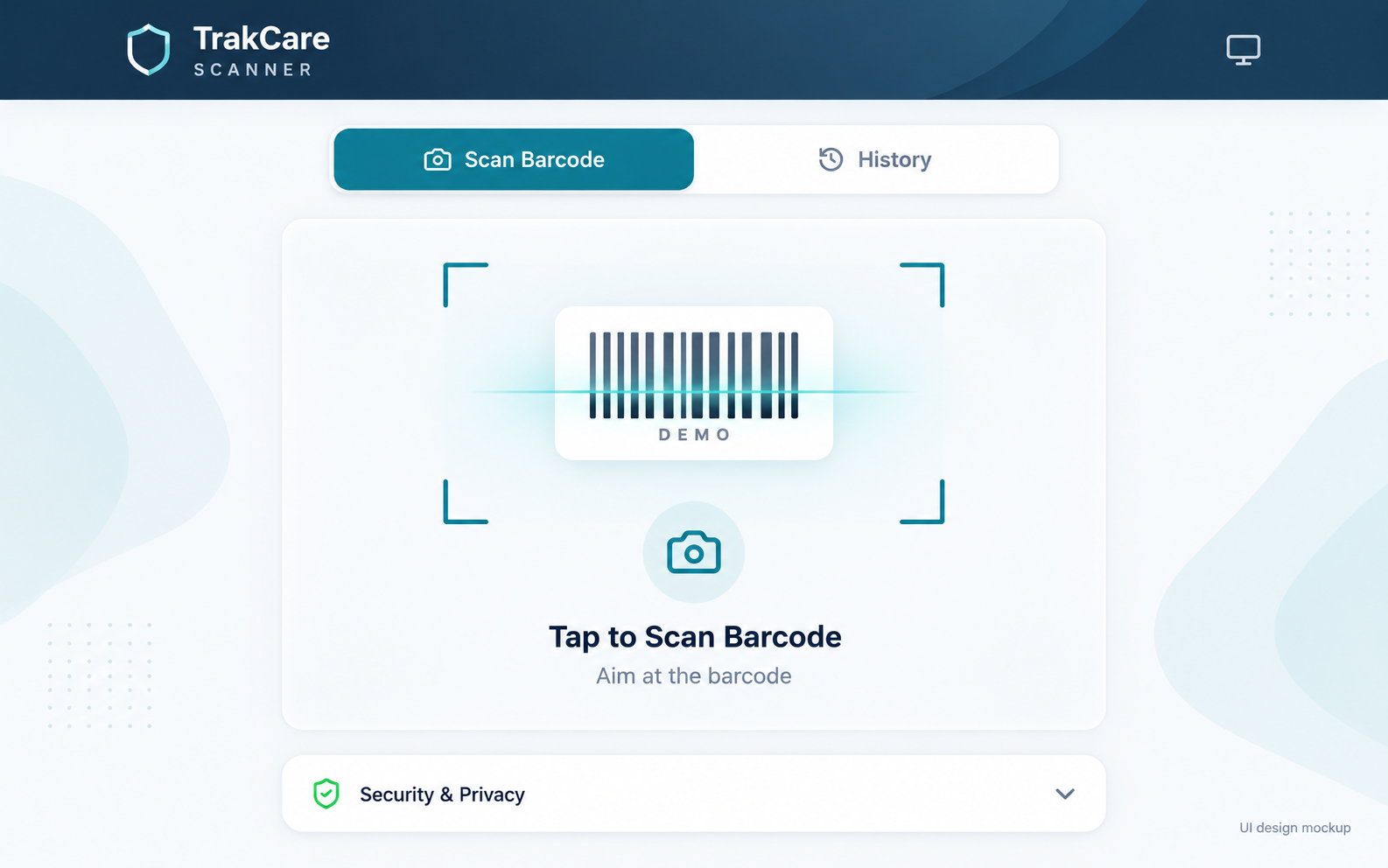
TrakCare Scanner UI design mockup: an enhanced visual treatment of the scanning screen. The underlying application is unchanged; no patient information is shown.

What sits behind it

  • Camera scanning with a native barcode detector and a ZXing fallback.
  • Repeated-read confirmation helps reject unstable scans.
  • Separate handling for numeric medical record numbers and specimen references.
  • A return-to-scan flow after TrakCare login, plus a copy option when needed.
  • Installable mobile experience and device-local scan history.

Clinicians authenticate directly with TrakCare / NHLS. The scanner does not grant access to private patient records or replace the clinical system’s permissions. No patient records are shown in this portfolio.

Explore the project

More of the work

Different problems.
The same care in the build.

GearShift

A connected vehicle platform with a public website and separate driver and dealership workspaces.

View work

Paws On Route

A local service-business website with clear service information and direct enquiry routes.

View work

Featherbleu Store

A work-in-progress smart-home storefront, combining product discovery, specifications and visual storytelling.

UX design studies

Emberwell, Layerforge and Mineralis explore catalogue navigation, product detail and responsive interfaces for fictional brands.

View work
Custom web applicationsWordPress & WooCommerceNext.js & ReactTypeScriptAPI integrationsPayment workflowsAI-assisted operationsData migrationResponsive UXTechnical SEOCloudflare deploymentTesting & maintenance

Keep the portfolio

The whole picture.
Ready to share.

Download the Pixaloom capabilities CV: selected projects, product screenshots, technical strengths and the people behind the work.

Download portfolio CV 9-page PDF · 6.4 MB · Updated 29 October 2026